
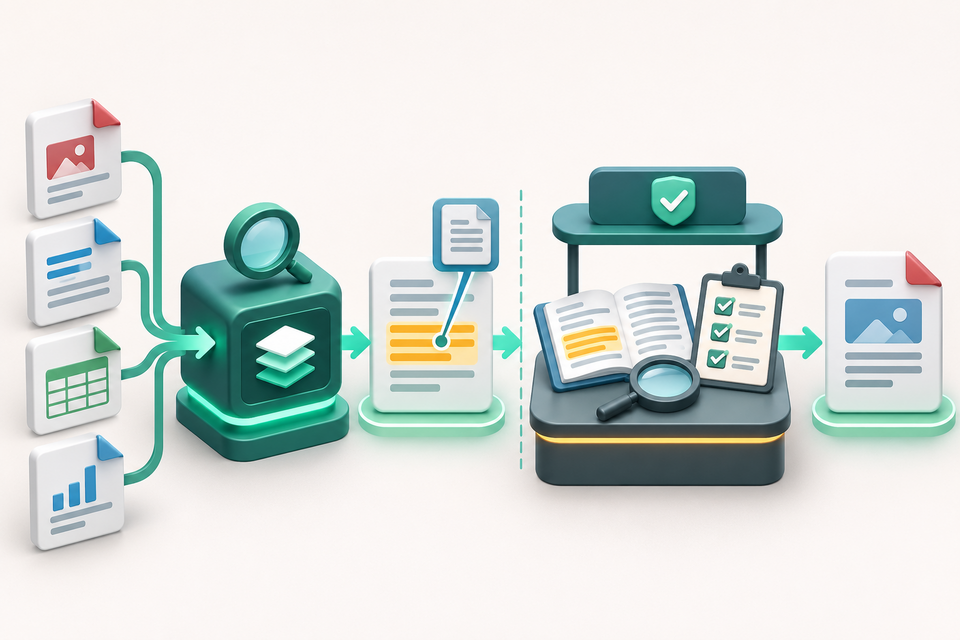
A page citation is more useful than an answer with no trail, but it is still a pointer rather than proof. Google's new managed retrieval features reduce the engineering needed to search PDFs and Office files. They do not remove the need to confirm the passage, version and surrounding context.
What Google announced on 24 November
Google's developer announcement introduces managed ingestion and SearchDocuments in Agent Retrieval, formerly Vector Search 2.0. Both are in Public Preview. Managed ingestion can import PDF, DOCX, PPTX, XLSX and TXT files from Cloud Storage, then parse, segment and embed them. SearchDocuments runs hybrid semantic and full-text retrieval and returns the source file URI with a page or page range.
Google reports that its test collection of 18 Alphabet investor PDFs became searchable with page-cited results in about nine minutes. That is a vendor test on one collection, not a general performance guarantee. Search time, parsing quality and result relevance will vary with the files, configuration, region and query.
A practical evidence test
1. Register the source set. Record each filename, owner, reporting period, location and approved version. Include awkward examples: an image-only scan, a dense table, two editions of the same report and a document whose title does not reveal its date. Keep the originals unchanged.
2. Check what the system can read. Open representative files and test whether important text is selectable. FileStation's PDF Reader can support this visual check. For an authorised English scan, PDF OCR can create searchable text, but recognition can be wrong and the output needs line-by-line review. Do not assume that a successful import captured every table, heading or footnote.
3. Choose segmentation deliberately. Google's default chunk segmentation uses 100–500-token chunks and can work with layout parsing. Page segmentation creates one segment per page. Both can return page ranges for PDFs. Test each option against the questions people will actually ask; a precise page number is not helpful if the relevant table header was separated from its values.
4. Test exact and paraphrased questions. Build a small approved answer set. Include a known fact, a synonym, a date filter, a question that should return nothing and one that could match an obsolete version. Open every returned citation and read the surrounding passage rather than judging only the generated wording.
5. Measure failures. Record missing passages, wrong editions, irrelevant matches and answers that sound plausible but are unsupported. Google says optional reranking improved one employee-count example; one example is not a benchmark for your documents. Retest after changing filters, segmentation or source files.
6. Preserve reviewed evidence. When a finding goes into a report, retain the source URI, page range, query, retrieval date and reviewer decision according to policy. Export only the approved interpretation. A generated answer should not silently become the organisation's permanent record.
Important limits
The data store and SearchDocuments APIs are currently REST `v1beta`, with Python SDK support planned. Public Preview is limited to `us-east4` and `europe-west4`. Managed ingestion has no separate charge during preview, but the backing Agent Retrieval collection is billed, and Google says managed-ingestion billing begins at general availability. Cloud Storage permissions, retention, regional requirements and confidential-data approval still need separate governance.
FileStation can help inspect or OCR an authorised working copy before a retrieval test. It does not connect to Google Agent Retrieval, upload files to Cloud Storage, validate citations or certify the security of a document collection.
The real advance is less custom pipeline code. The dependable workflow remains the same: control the source set, test failure cases and verify the cited page before trusting the answer.