
A clean-looking PDF can still be difficult or impossible to use with a screen reader, keyboard or magnification. A new Europe-wide benchmark makes the scale of that problem visible—and shows why the best repair often starts before the PDF is exported.
What the European benchmark found
The CAAT PDF Report 2026 analysed 50,420 public-sector PDFs collected from 367 websites across all 27 EU countries. The study covered documents dated on or after 23 September 2018 and reports an evaluation period ending on 23 September 2026. The European Disability Forum helped prioritise 14 organisation clusters for the sample.
Only 2.6% of the analysed files passed PAC's machine-testable checks. Another 64.5% were tagged but contained errors, while 32.9% were untagged. Frequent findings included missing or incorrect document-title metadata, content not correctly identified as tagged content or artefacts, font-embedding issues, insufficient text contrast, missing language information and problems with alternative text.
Those figures are serious, but they need careful interpretation. PAC checks requirements that software can test in PDF/UA and WCAG. The report explicitly says that a pass means no machine-detectable deficiency was found—not that the document is actually accessible. Meaningful image descriptions, coherent reading order and understandable structure still need people and assistive technology.
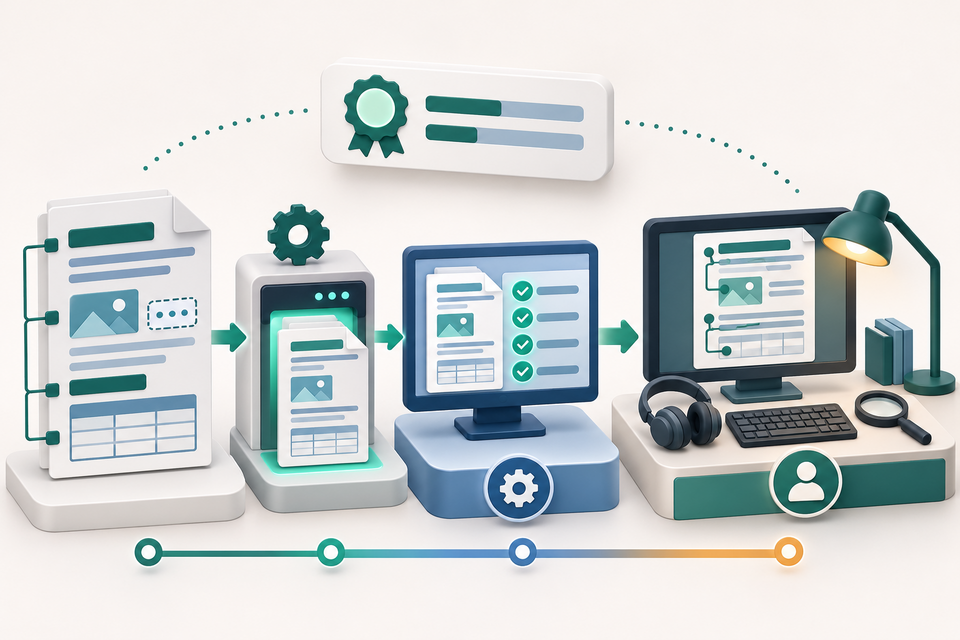
A source-to-PDF accessibility workflow
1. Keep an editable source and an owner. Start with the Word, Docs, layout or publishing file rather than treating the PDF as the only master. Use an approved template, record who owns the content and preserve the version that produced the release.
2. Build structure into the source. Use real heading styles, lists and table headers instead of visual formatting alone. Set the document language, write useful image descriptions and avoid conveying meaning through colour or position alone. A picture of text is not a substitute for actual text.
3. Export deliberately. Use an export route that preserves document tags, links, headings and reading order. Do not assume that printing to PDF preserves the same semantics. Record the application version and export settings when repeatability matters.
4. Run automated checks on the exported file. Investigate every reported issue rather than chasing a green score. If the source caused the problem, correct it there and export again. Keep a small regression set so templates and conversion changes can be tested before wide release.
5. Perform the human review that automation cannot. Check whether headings make sense, alternative text communicates the image's purpose, table navigation is understandable and the reading order follows the intended story. Test keyboard access, zoom and high magnification, and use representative screen-reader checks with trained reviewers.
6. Retest the exact published copy. Reopen the downloaded file, not only the editor preview. Check metadata, pages, links and accessibility again after compression, combination, optimisation or a content update; any later processing step can change the result.
Important limits
The benchmark is an automated cross-country snapshot, not a manual certification of every file or a legal ruling on any organisation. Document dates can be approximate, some discovered PDFs were excluded by the study's filters or could not be processed, and a different test tool may produce different absolute results. Passing PAC is evidence from one stage of review, not a guarantee of usability or compliance.
For an authorised working copy, FileStation's PDF Reader can support a visual page check. The guide to OCR and accessible PDFs explains why selectable text alone does not create good structure. FileStation does not inspect PDF tags, run PAC, certify WCAG or PDF/UA conformance, or replace testing by people who use assistive technology.
The practical lesson is not to wait for a final-PDF rescue. Build accessibility into the source, verify what the export preserved and combine automated findings with accountable human review.